
Ads
When summer heat or tropical humidity rolls in, the same headache shows up: the AC works overtime, bills climb, and a few rooms still feel off. Many fixes start with the device we touch most but understand least—the thermostat. Learn how HVAC cooling control really behaves, and guesswork turns into control. In this guide, you’ll get clear thermostat basics, see how settings map to temperature and cost, and pick up practical steps you can use today.
Ads
Why the Thermostat Matters: The Real Problem It Solves
Think of your thermostat as mission control for comfort, air quality, and cost. It’s the user interface for your home’s climate system. If a space runs warm or chilly, if humidity lingers, if the AC short-cycles (turns on and off too often), or if your bill is climbing faster than inflation, the thermostat usually plays a role. Even small misunderstandings—like leaving the fan on “On” or dialing the temperature down to “cool faster”—can waste energy without boosting comfort.
Most people chase three outcomes: steady temperature, healthy air, and low costs. The thermostat touches all three. It decides when to call the compressor (cooling), spin the indoor fan, and sometimes trigger dehumidification, based on what it senses versus your setpoint. A deadband (also called hysteresis) keeps the system from toggling nonstop. Set 24°C (75°F), and cooling might start at 25°C (77°F) and stop at 24°C (75°F). That small gap reduces short cycling, cuts wear, and steadies comfort.
Humidity can be coordinated too. In muggy climates, the right options keep indoor RH (relative humidity) in the comfort zone (often 40–60%). Lower humidity makes the same temperature feel cooler, so you can bump the setpoint higher and still feel great. If your thermostat offers dehumidification or a “cool to dehumidify” feature, that single capability can flip a room from clammy to crisp.
Cost is where the impact really shows. Simple scheduling—warmer while you’re away, cooler when you’re home—meaningfully trims energy use. According to the U.S. Department of Energy, changing setpoints for at least 8 hours a day can save up to 10% per year on heating and cooling. Smart thermostats layer on occupancy detection and learning, but a basic programmable model, used well, can deliver strong results.
Bottom line: your thermostat isn’t just a dial. It’s a strategy tool for comfort and savings, and understanding its logic makes every setting count.
Inside the Thermostat: Sensors, Setpoints, and Compressor Logic
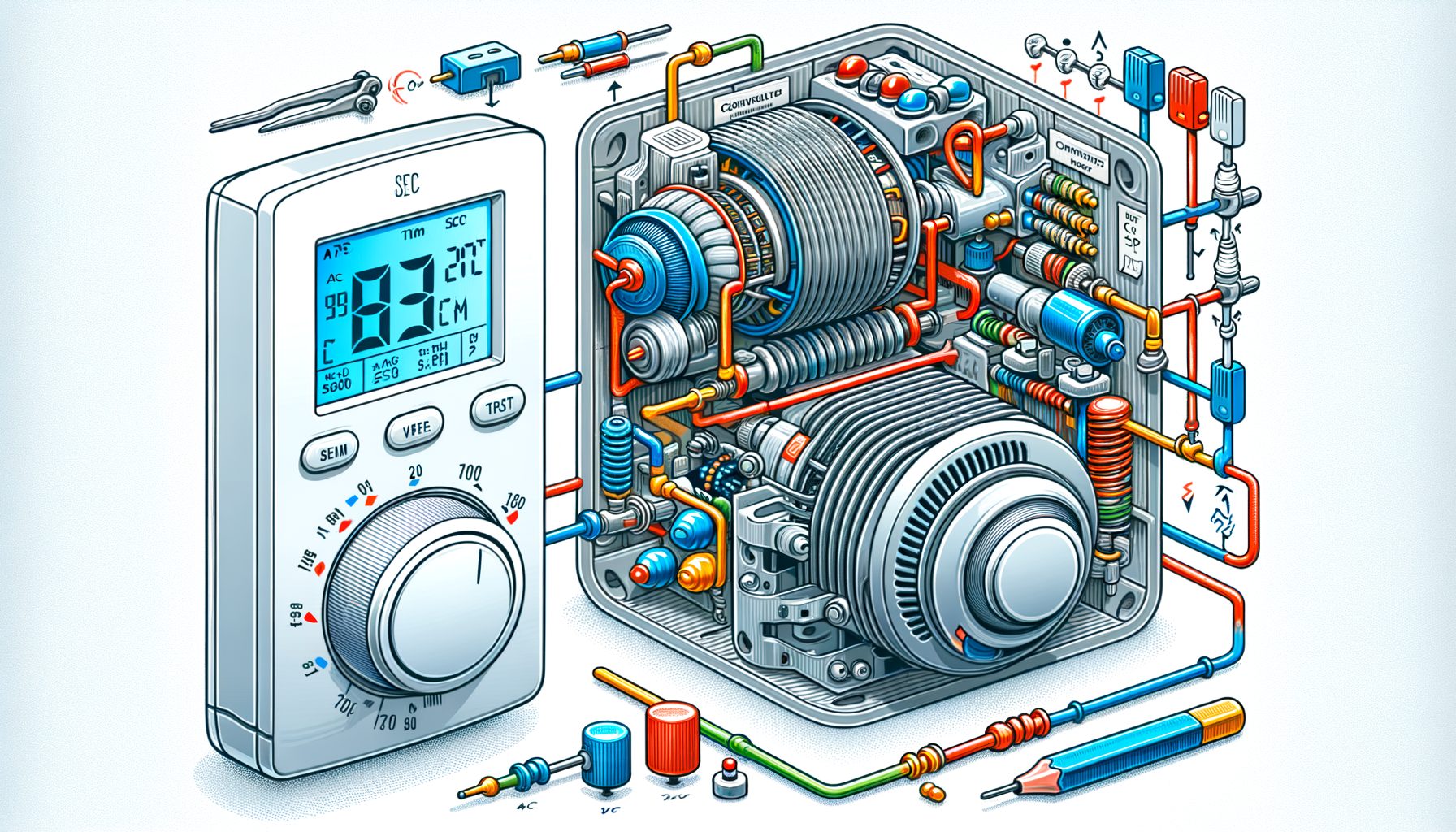
Inside, a thermostat compares its temperature (and sometimes humidity or occupancy) readings to your chosen setpoint. When indoor temperature rises above the cooling setpoint by the internal threshold, it issues a call for cooling. That signal tells the outdoor compressor and indoor air handler to turn on. The call continues until the setpoint is reached, and then the system shuts down—ideally pausing briefly before the next cycle to avoid rapid restarts.
Older mechanical models relied on bi‑metal coils and anticipators; modern units use solid‑state sensors and digital logic. Adjustable cycle rates, compressor minimum off‑times, and “compressor protection” delays (often 3–5 minutes) are now common. Those safeguards matter because compressors take the most stress at startup; cut the short cycling, and you extend equipment life while keeping temperatures steadier.
Cooling physics remain simple yet nuanced. Heat is removed from indoor air and rejected outdoors. As the coil cools, moisture condenses and humidity drops. If your thermostat or system includes a “dehumidify” mode, it may slow the fan during cooling for more moisture removal. What’s interesting too, some advanced systems allow “overcooling to dehumidify” by 1–2°C (2–4°F) when indoor RH runs high. The trade-off is a slightly cooler room in exchange for drier air—often the more comfortable combination.
Wiring turns commands into actions. In many North American systems, R supplies power and C is common (needed by most smart thermostats). Y/Y1 controls the compressor (stage 1 cooling), G runs the indoor fan, W calls for heat, and O/B drives the reversing valve in heat pumps. Multi‑stage systems may add Y2 for second‑stage cooling. Wire colors aren’t universal, so labels beat guesses. If you have a heat pump, make sure the thermostat is configured for “heat pump” so cooling and the reversing valve operate correctly.
Fan control deserves attention. “Auto” runs the fan only during heating/cooling cycles; “On” runs it constantly. Continuous fan can blend air and even out room temperatures, but in cooling season it may raise humidity (the fan can re‑evaporate water on a wet coil after the compressor stops). Then this: if you need mixing without humidity penalties, try a “circulate” or low-duty fan mode, or use “On” only when humidity is already under control.
And a reminder about setpoints: they are not speed controls. Setting 18°C (64°F) won’t cool faster than 24°C (75°F); it merely runs longer. Use a sensible setpoint and let the system work. For faster recovery, try pre‑cooling schedules or zoning to concentrate cooling where you’re present.
Smart vs. Traditional: Efficiency, Costs, and What Actually Pays Off
Programmable thermostats follow a fixed schedule you set—say 26°C (78°F) when away, 24°C (75°F) when home, and 23°C (73°F) during sleep. On its own, that simple routine captures a big share of savings at low cost. The sticking point is behavior: many owners never program them or keep overriding schedules, which erases the benefit. Smart thermostats address that by adding occupancy sensing, geofencing, adaptive recovery (pre‑cooling before you arrive), and energy insights. With Wi‑Fi, they can also talk to voice assistants and utility demand‑response programs.
Do smart models always save more? Often yes—especially if you travel, forget adjustments, or live with big daily temperature swings. ENERGY STAR reports around 8% average heating/cooling savings for certified smart thermostats when configured properly. Some brands claim higher results, but real‑world savings depend on insulation, HVAC efficiency, and your habits. If your home is tight, zoned, and you already manage schedules, the jump from programmable to smart may be smaller.
Comfort and air quality benefit from smarter logic as well. Humidity setpoints, auxiliary heat lockouts (for heat pumps), and compressor cooldowns reduce waste and swings. Learning thermostats model how fast your home warms or cools and then pre‑run the system so you hit targets at the exact time. Less guesswork, more consistency.
Cost varies by region. Basic programmable units are inexpensive, while premium smart thermostats cost more and often need a C‑wire. If you don’t have one, some models include power adapters or use power‑stealing, but a true C‑wire is best for reliability. Many utilities worldwide offer rebates for smart thermostats or for joining demand response, where your AC setpoint nudges up during grid peaks in exchange for bill credits.
If you want the quickest ROI, start with scheduling and a reasonable setpoint. Raise cooling setpoints when you’re away, and use geofencing if available. Pair the thermostat with fundamentals—clean filters, sealed ducts, shade on west‑facing windows—and you’ll multiply savings without sacrificing comfort.
| Action | Typical Impact (Cooling) | Source |
|---|---|---|
| Adjust setpoint by 7–10°F (≈4–6°C) for 8 hours/day | Up to ~10% annual heating/cooling savings | U.S. DOE |
| Use a certified smart thermostat with optimized settings | ~8% average heating/cooling savings | ENERGY STAR |
| Set cooling to 24–26°C (75–78°F) when home, higher when away | Lower runtime with better humidity balance | U.S. DOE |
Practical Setup and Troubleshooting: Step-by-Step
Step 1: Confirm system type. Identify whether you have a conventional split AC, a heat pump, or a multi‑stage system. The thermostat must be configured for your equipment so cooling calls map correctly. Heat pumps use a reversing valve (O/B) and often need thermostat‑specific settings.
Step 2: Verify wiring labels. Before replacing or rewiring, snap a clear photo of the existing terminals. Typical terminals include R (power), C (common), Y/Y1 (compressor), G (fan), W/W1 (heat), O/B (heat‑pump reversing valve), and Y2/W2 for second stages. Color conventions vary; labels win. If you lack a C‑wire and your new thermostat needs one, consider a pro installer or a manufacturer‑approved power adapter to prevent control issues.
| Terminal (Common in North America) | Function |
|---|---|
| R / RC / RH | 24V power (from transformer) |
| C | Common (return path; required for most smart models) |
| Y / Y1 | Stage 1 cooling (compressor) |
| Y2 | Stage 2 cooling |
| G | Indoor fan |
| W / W1 | Stage 1 heat (furnace or strip heat) |
| O/B | Heat pump reversing valve (cool/heat mode switch) |
Step 3: Set scheduling and deadband. Begin with a simple plan: Home 24–25°C (75–77°F), Away 26–28°C (78–82°F), Sleep 24–25°C (75–77°F). Dry climates can prioritize setpoint; humid regions should prioritize humidity control and allow a slight overcool during peak humidity. If your thermostat allows, set a 0.5–1.0°C (1–2°F) deadband to stabilize operation and cut short cycling.
Step 4: Use fan modes wisely. Choose “Auto” for most cooling. Switch to “On” briefly when you need mixing across rooms, then return to “Auto” to avoid re‑evaporating moisture on the coil. Well, here it is: if your thermostat supports “Circulate” or “Airwave/eco cool,” test them for a week and watch comfort and RH.
Step 5: Calibrate expectations. If the thermostat reading doesn’t match a reliable portable thermometer, look for drafts, sunlight, or nearby electronics that skew readings. Many models allow a sensor offset to align displayed and actual temperatures. Remote sensors can help too—place one in your main living area and average readings for better whole‑home comfort.
Step 6: Troubleshoot common symptoms. AC runs but no cool air? Check whether the outdoor unit is powered, the filter is clean, and Y/G wires are secure. Short cycling? Increase deadband and enable minimum compressor off‑time. High humidity? Try a lower fan speed during cooling or enable dehumidify settings if available. When in doubt, consult manufacturer documentation or a licensed technician.
For detailed wiring and compatibility guidance, see manufacturer resources such as Google Nest thermostat compatibility and Honeywell Home wiring support. Global best‑practice comfort ranges and humidity guidance are summarized by organizations like ASHRAE.
FAQs
Q: Does setting a lower temperature make my AC cool faster?
A: No. Cooling speed depends on system capacity, not the setpoint. Use pre‑cooling or zoning for faster perceived results.
Q: What’s the best AC setpoint?
A: A common comfort range is 24–26°C (75–78°F) when home, higher when away. If RH runs high, prioritize dehumidification and consider a slightly lower setpoint.
Q: Should I leave the fan set to “On”?
A: Usually not during cooling. “Auto” preserves dehumidification and saves energy. Use “On” briefly to mix air, or when humidity is already low and you need more even temperatures.
Q: Do I need a C‑wire for a smart thermostat?
A: Most smart models work best with a C‑wire. Some offer adapters or power‑stealing, but a true C‑wire provides more reliable power.
Conclusion: Turn Knowledge into Cooler, Cheaper Comfort
We started with a familiar frustration: rooms that feel wrong and bills that feel too high. Along the way, you saw that the thermostat is more than a dial—it’s the brain of HVAC cooling control, using sensors, setpoints, and timing to manage temperature and humidity. Compressor protection, deadbands, and fan modes shape both comfort and cost. You compared programmable and smart thermostats, learned why habits matter as much as hardware, and identified steps with the fastest payback. You also picked up a practical setup and troubleshooting sequence and data‑backed targets for everyday use.
Now it’s your move. Make one change today: set a home/away schedule, nudge your cooling setpoint up by 1–2°F (0.5–1°C), or enable humidity control if supported. Snap a photo of your wiring for reference, check the filter, and confirm fan mode. If you want more automation and insight, try a certified smart thermostat and check utility rebates in your area. Small, consistent tweaks add up to lower bills, better comfort, and fewer equipment hassles.
Comfort should feel effortless and affordable. With the right thermostat settings and a bit of system awareness, you can stay cool, cut waste, and keep your home feeling fresh on the hottest days. Ready to dial in your perfect settings this week? Take ten minutes, apply the steps above, and enjoy the difference. Your future self—and your energy bill—will notice.
If this guide helped, share it with a friend or housemate and compare results after a week. Which single change made the biggest difference for you?
Sources and Further Reading
U.S. Department of Energy: Thermostats
ENERGY STAR: Smart Thermostats
ASHRAE Standard 55: Thermal Environmental Conditions
Google Nest Thermostat Compatibility